Compression Options
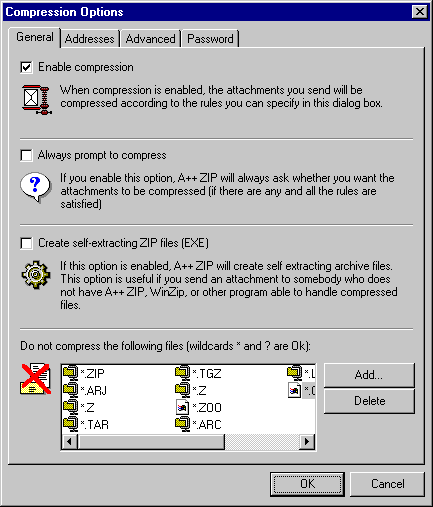
Enable compression - Enables compression of the outgoing email attachments. If this option is enabled, on Outlook startup A++ ZIP also checks if any unread messages in your Inbox have ZIP attachments and decompresses them if necessary.
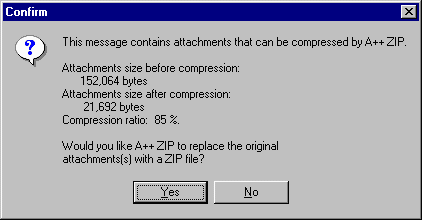
Always prompt - upon sending a message, a user is always
prompted whether A++ ZIP should compress the attachments.
The dialog box (see below) is automatically dismissed after 30 seconds and the attachments
are compressed.
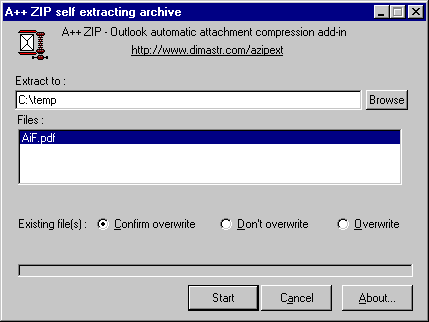
Create self-extracting ZIP files (EXE) - If checked, instead of the regular ZIP files, self-extracting (EXE) compressed files are created. Message recipients do not need to have A++ ZIP, WinZip or any other application to handle the compressed files: they simply run the attachment as a regular application that decompresses included files:
Please keep in mind that creating self-extracting ZIP files
involves an overhead of about 40kB per each self-extracting file, which may result
in a compressed file being larger than the original file(s): in this case A++
ZIP will not compress the file.
If creating self-extracting files, it is a good
idea to create a single ZIP file per message (see below) instead of packing each
attachment as a separate ZIP file.
Do not compress the following files - A++ ZIP will not even try to compress the specified files. There is hardly any advantage compressing any already compressed files; Practically, JPG, GIF and some other file types are already highly optimized to be small. Text documents (TXT, DOC, etc) on the other hand can usually be compressed by over 80%.
You can use wildcards (*, ?) in the filenames: e.g. *.ZIP will force A++ ZIP to skip all ZIP files, a*.doc means no DOC files with a filename starting with "a" will ever be compressed.
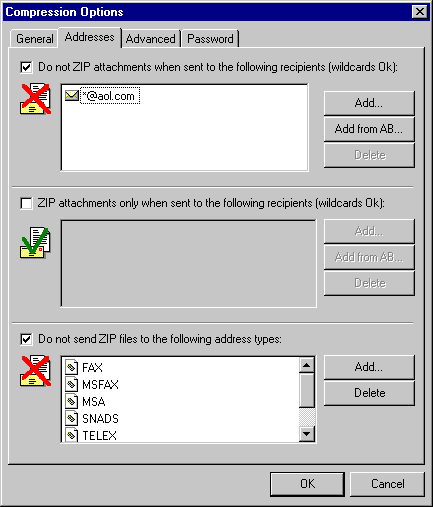
Do not ZIP attachment when sent to the following recipients - attachments will not be compressed if any of the message recipients are on this list. You can use wildcards ? and/or * in the recipients names. In the list shown above, no attachments will be compressed if any of the message recipient's address is from the aol.com domain. Clicking "Add from AB..." button shows a standard Outlook Address Book where you can select any number of recipients.
ZIP attachments only when sent to the following recipients - attachments will be compressed only if all of the message recipients are on that list. You can use wildcards * and ? in this list. Note that this list takes precedence over the previous list.
Do not send ZIP files to the following address types - no attachments
will be compressed if any of the message recipients address types are on that
list - e.g. there is no sense sending a ZIP file to a FAX recipient. Most
frequently used address types are SMTP (e-mail addresses look like user@domain.com)
and EX (Exchange Server, addresses of the form /o=OrgName/cn=UserName).
For example, to disable sending ZIP files to all users on your local
Exchange Server domain (which are probably all connected to the same fast Local
Area Network), add EX to the list.
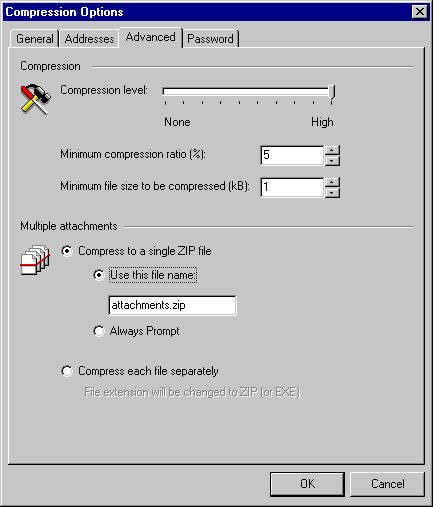
Compression level - specify how tightly A++ ZIP should compress the attachments. "None" is no compression (files are just moved into a ZIP files); "High" is a maximum possible compression. There is no reason to change this setting from its default value "High" - compression of a 2Mb file takes approximately 2 seconds
Minimum compression ratio - if A++ ZIP cannot compress files better than this threshold, attachment will not be added to an archive, i.e. if a file can only be compressed to 96% of its original size (a compression ratio of 4%), and you specify 5%, the attachment is sent as is.
Minimum file size to be compressed - A++ ZIP will not compress files smaller than this value (kB), i.e. if you specify 5kB, and the original file size is 3 kB, it will be sent as is, no matter how tightly is might be possible to compress it.
Compress to a single ZIP file - all message attachments will be contained in a single ZIP file. This is the most efficient way, especially if you create self-extracting (EXE) ZIP files. You can either specify a default file name to be used for all multifile ZIPs (Use this file name), or make A++ ZIP prompt you every time a ZIP file is created (Always Prompt). If ZIP file contains only one file, ZIP file name will always be the same as an original file name with an extension changed to ZIP (or EXE).
Compress each file separately - each message attachment will be compressed into a separate ZIP file; file name will be the same with an extension changed to "zip" (or "exe in case of self-extracting archives).
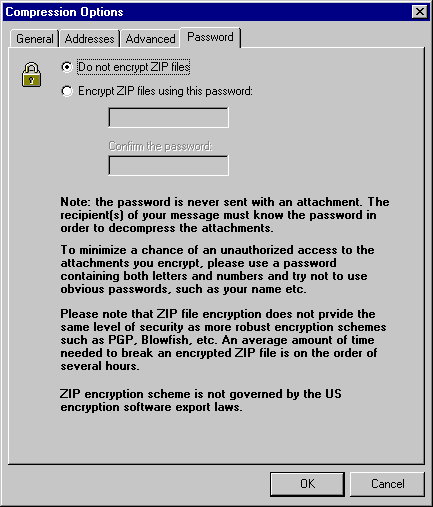
The password you use is never sent with an attachment; it is only stored in the local computer registry in an encrypted form.